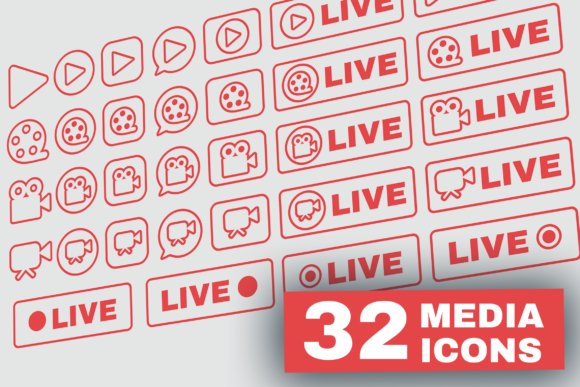
A Modern Vector Icon Set for Live Streaming Projects
In today's digital landscape, live streaming has become a cornerstone of communication, entertainment, and marketing. Whether you're broadcasting a podcast, hosting a gaming session on Twitch, or sharing a tutorial on YouTube, your visual presentation matters. The Outline Live Stream Symbols Set is a collection of 32 clean, modern vector icons designed specifically to enhance any project related to broadcasting and online media.
Think of it as a visual toolkit. Instead of searching for individual icons or designing them yourself, this set provides a cohesive library of symbols in a solid, outline style. Each icon is a vector, meaning it can be scaled to any size without losing quality—from a tiny app button to a massive banner. This flexibility is crucial for creators who work across multiple platforms and screen sizes.
What Makes This Icon Set Stand Out?
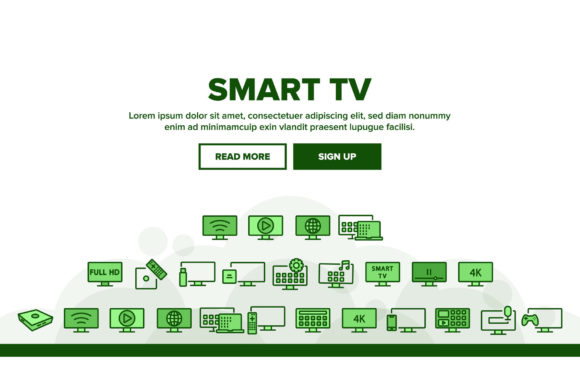
The Outline Live Stream Symbols Set is built for practicality. The icons adopt a minimalist, solid outline aesthetic. This style is currently popular because it’s clean, legible, and works seamlessly with various design themes, from sleek and professional to vibrant and casual. The set focuses on universal symbols for live streaming: you'll find icons representing "live now," cameras, microphones, headphones, play buttons, audience figures, and platforms like Twitch and Facebook.
Its value lies in its completeness and format variety. You receive the icons in multiple file types: AI and EPS for vector editing in Adobe Illustrator, a layered PSD for Photoshop work, and ready-to-use PNG, JPG, and SVG files at 512x512 pixels. This means you can use them whether you’re a professional designer manipulating vectors in Illustrator or a blogger quickly inserting a PNG into a Canva template. Having SVG files is particularly beneficial for web and app development, as they ensure sharp graphics on all devices.
Solving Real Problems for Diverse Audiences
Why might you be interested in this set? It addresses several common needs. For a small business owner promoting a product launch via Instagram Live, it provides instant, professional graphics to announce the stream in posts and stories. A freelance educator running online workshops can use the icons to create clear course materials and presentation slides that visually denote live sessions. Marketers can integrate these symbols into email campaigns or landing pages to highlight webinar events, adding a visual cue that immediately communicates "live interaction."
For beginners and hobbyists, the set eliminates the stress of finding consistent, royalty-free icons. Instead of piecing together mismatched graphics from different sources, you get a unified pack that makes your projects look coordinated and intentional. This is key for building brand identity or simply making your content look more polished.
Practical Applications Across Different Fields
Let's explore some concrete use cases. Imagine you're a gamer setting up your OBS streaming overlay. You can use the "live" badge or a gaming controller icon from the set to create on-screen alerts or status indicators. A podcaster launching a new series might use the microphone and radio icons in the promotional artwork on their website and social media banners.
In a professional or corporate context, these icons are perfect for internal communications software or client-facing apps that feature live support or video meetings. The clean outline style fits well within a professional UI without being distracting. Bloggers and content creators can sprinkle these icons into blog posts to visually break up text and highlight sections discussing live events or streaming tutorials.
The set is also ideal for digital marketing tools. The included red badges pack, mentioned for platforms like Twitch and Facebook Live, offers high-contrast elements perfect for calls-to-action. Use them in promo graphics to draw the eye and create a sense of urgency for a "live now" event.
Key Considerations Before Using the Icon Set
While the Outline Live Stream Symbols Set is versatile, it's important to understand what it is and isn't. The set contains isolated vector illustrations—the background photos are not included. This is actually a benefit; it means the icons are ready to be placed over any background you choose. However, it means you’ll need to provide the context and layout yourself.
Also, note the technical requirement for the core vector files: you need Adobe Illustrator 10 or above to open and edit the AI and EPS files. If you don't have Illustrator, you can still fully utilize the PNG, JPG, SVG, and PSD files with other software. Consider your primary editing tools. If you work mostly in web-based design platforms, the SVG and PNG files will be your go-to formats.
Finally, think about scope. The set is focused on live streaming and online broadcast themes. It’s not a general-purpose icon pack. Its strength is its specialization. If your project is deeply tied to streaming, IRL content, podcasts, or social media broadcasts, this set will likely cover most of your symbolic needs. For broader projects, you might need to supplement it with other icons.
Integrating Icons into Your Workflow
Using the icons effectively is straightforward. Start by browsing the JPG preview file to see all 32 symbols. Identify which icons match your message—a "signal" icon for connectivity, a "video" icon for streams, etc. For digital use, the 512x512 pixel PNGs are often perfect, offering a good balance of size and transparency. For print materials like flyers or posters, use the vector AI files to scale up to any dimension without pixelation.
Remember to maintain consistency. Using the same style of icon across your website, social stories, and app creates a cohesive user experience. The modern outline design of this set helps achieve that consistency effortlessly. Whether you're a professional designer assembling a client's branding kit or a casual user enhancing your Instagram Stories, the Outline Live Stream Symbols Set provides the reliable, scalable graphical elements you need to communicate the dynamic world of live streaming visually.